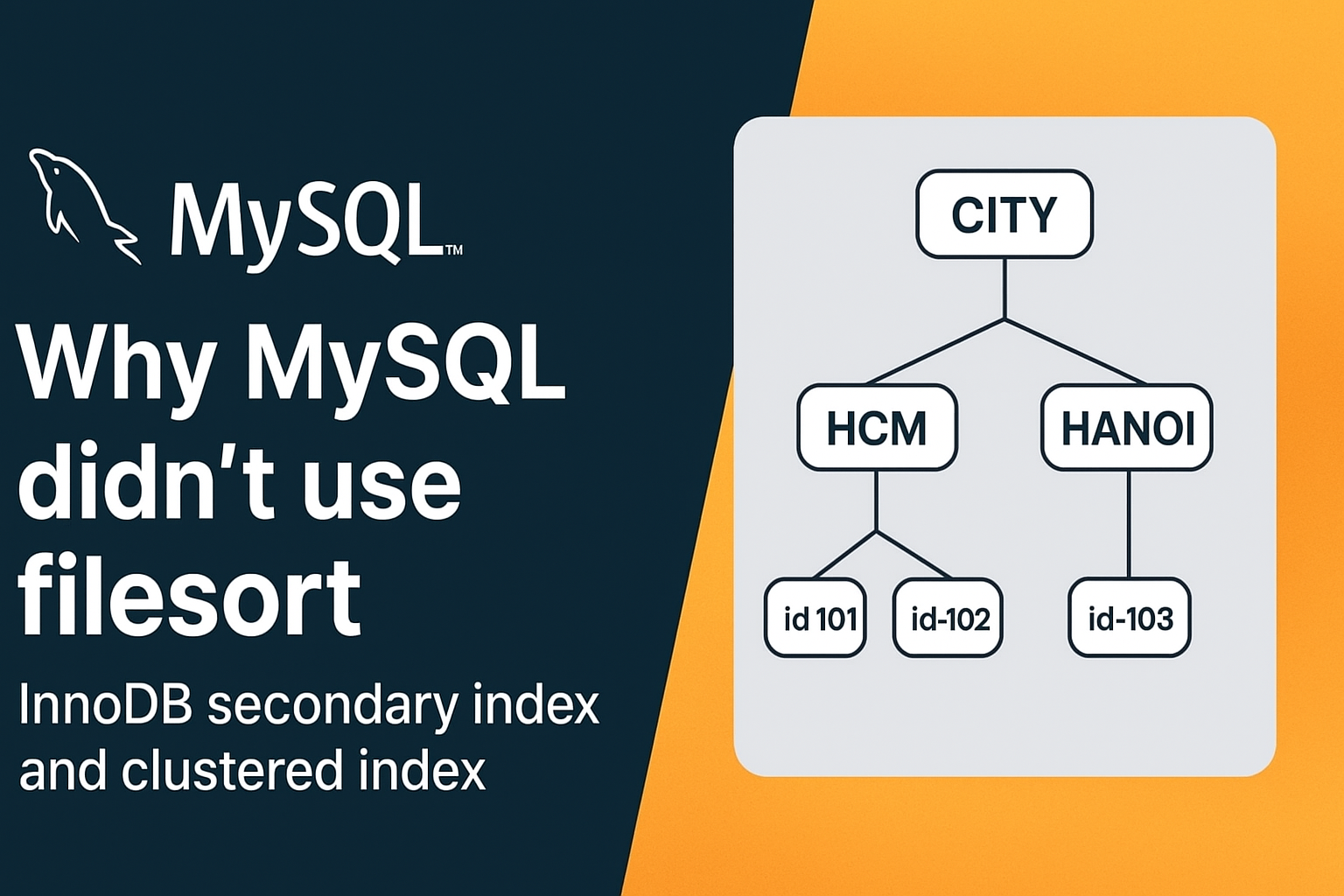
The Mystery: Why Doesn't MySQL Use Filesort?
Recently, while tuning database query performance, I encountered an interesting MySQL behavior. Given a simple users table:
CREATE TABLE users (id INT PRIMARY KEY,name VARCHAR(100),city VARCHAR(50),INDEX idx_city (city));
When running the following query:
EXPLAIN SELECT * FROM usersWHERE city = 'HCM'ORDER BY idLIMIT 10;
The EXPLAIN output showed no "Using filesort" in the Extra column. This seemed unexpected at first glance: shouldn't MySQL filter by city first, then sort matching rows by id?
So why did MySQL bypass filesort entirely?
The Secret: InnoDB Secondary Index Structure
The answer lies in how InnoDB structures its secondary indexes. According to the official MySQL Documentation:
"Each secondary index entry contains the primary key columns for the row, as well as the columns specified in the index."
This means when we define an index idx_city (city), InnoDB automatically appends the primary key (id) to the end of the index leaf nodes:
-- What we declared:INDEX idx_city (city)-- What InnoDB actually stores on disk:INDEX idx_city (city, id) -- id is appended automatically!
Visualizing the B-Tree Index Structure
Imagine the leaf nodes inside idx_city ordered like this:
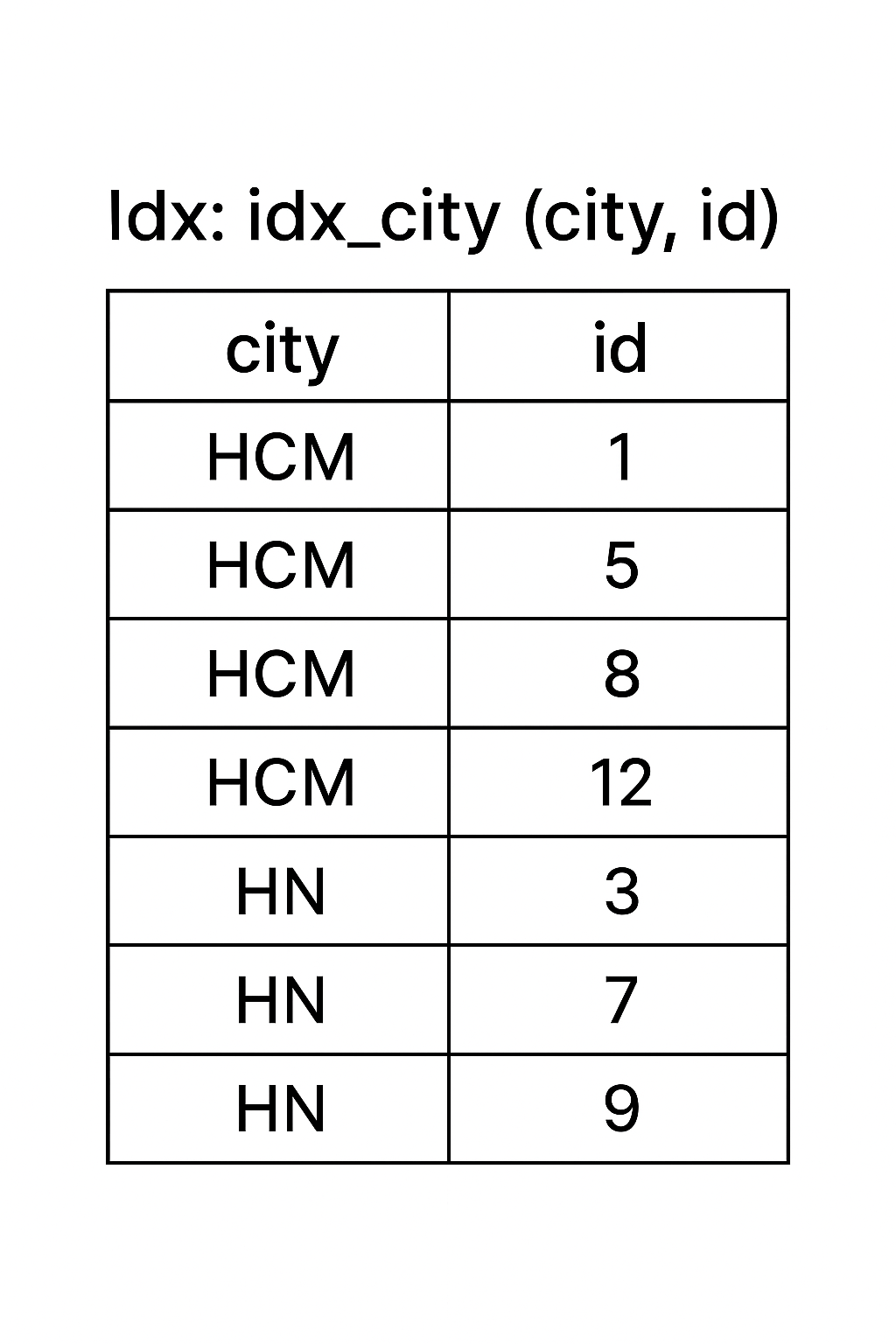
When MySQL evaluates WHERE city = 'HCM' ORDER BY id:
- It navigates the B-Tree to find rows where
city = 'HCM'. - Within that city slice, rows are already physically ordered by
id! - It simply scans sequentially and takes the first 10 rows → Zero filesort required.
Experiment 1: Sorting by a Different Column
What happens if we sort by name instead?
EXPLAIN SELECT * FROM usersWHERE city = 'HCM'ORDER BY nameLIMIT 10;
Result: Extra: Using filesort
Why? Because idx_city only stores (city, id). To sort by name, MySQL must:
- Locate matching rows from
idx_city. - Perform a clustered index double lookup to retrieve
name. - Allocate sort buffer memory to sort rows by
name→ Filesort!
Experiment 2: Covering Index to Eliminate Filesort
If we create a composite index that covers all necessary filtering and ordering columns:
CREATE INDEX idx_city_name ON users (city, name);
And re-run the query:
EXPLAIN SELECT * FROM usersWHERE city = 'HCM'ORDER BY nameLIMIT 10;
Result: Extra: Using index
The composite index is physically arranged as (city, name, id), providing an exact match for both filtering and sorting without sorting overhead.
Key Takeaways
- Secondary Indexes Contain the Primary Key: InnoDB appends primary key columns to every secondary index entry automatically.
- B-Tree Traversal Preserves Order: If an index matches your filter equality condition and sort prefix, MySQL scans index entries directly without allocating a filesort buffer.
- Covering Indexes Eliminate Double Lookups: Designing indexes around common query patterns (
WHERE A ORDER BY B) drastically cuts disk I/O and query latency.